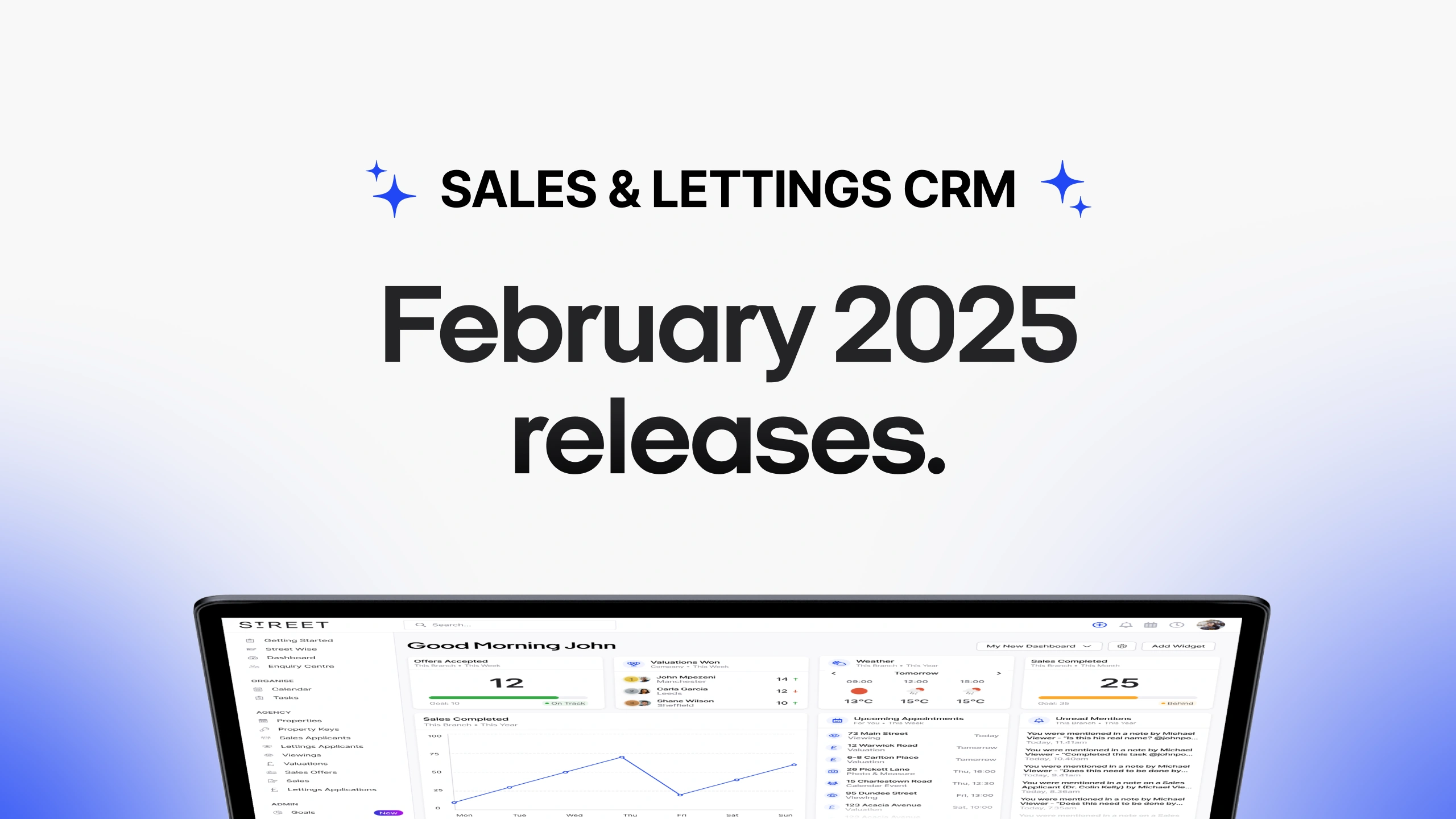
Enhance productivity by booking appointments directly from the branch calendar with auto-filled details. This release introduces a resizable, detachable canvas for multitasking and a simplified, guided Online Booking setup. With a redesigned customer landing page and improved maintenance toggles, these updates optimise efficiency and ensure a seamless team experience.
Book appointments straight from the branch calendar.
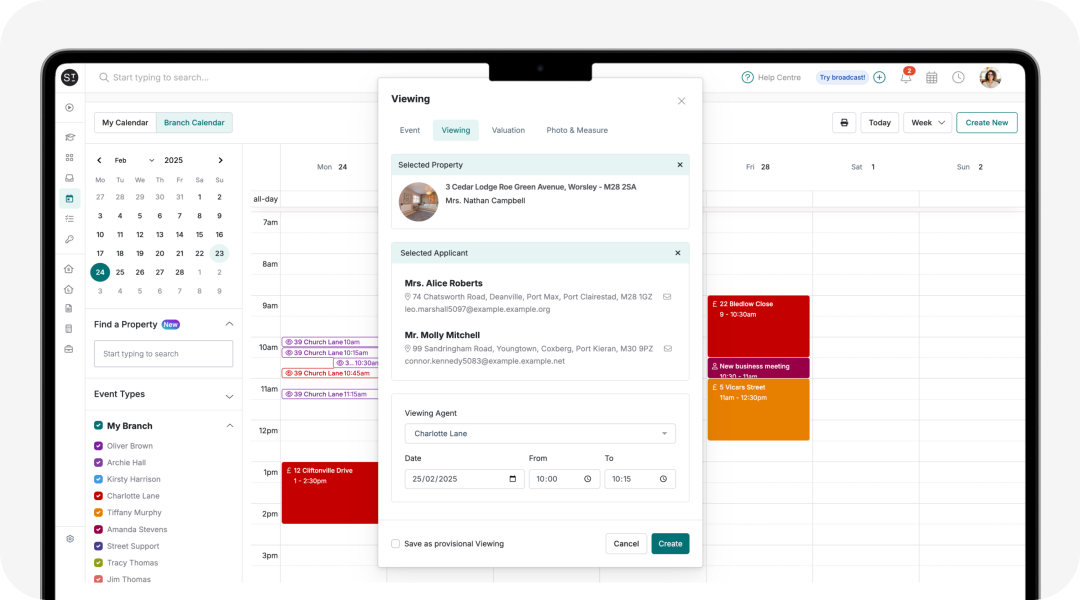
Book viewings, valuations, and more – straight from the branch calendar. Search properties, check availability, and add applicants in seconds, with details auto-filled for a faster, smoother workflow.
Unpin, drag and resize your canvas.
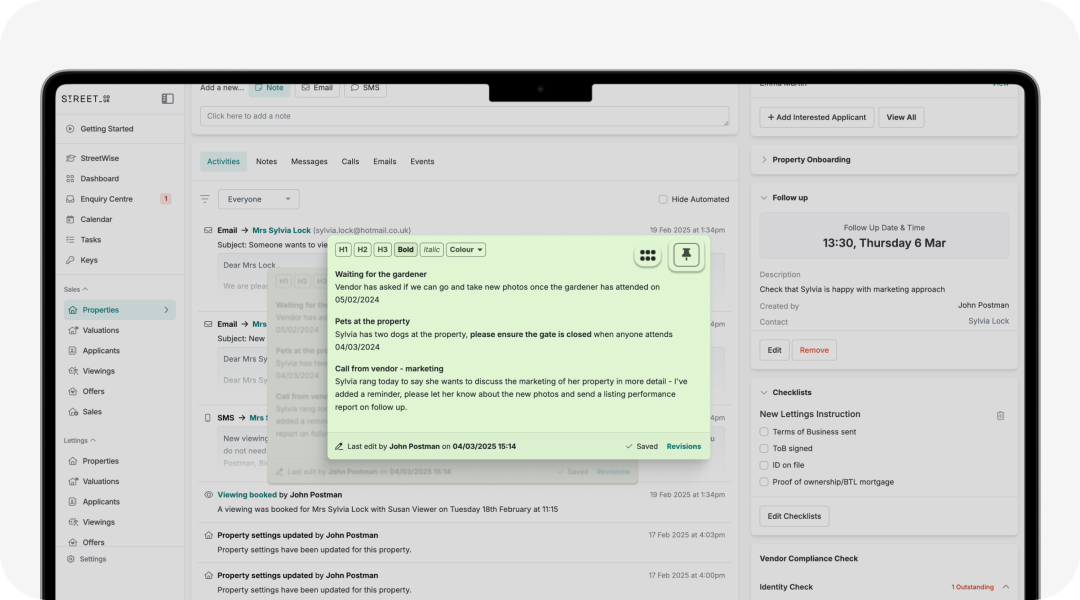
Detach your canvas from the top of the page and place it anywhere on your screen. Drag, reposition, and resize it to keep important notes visible as you navigate your work.
Online Booking: Fast to set up, simple to manage.
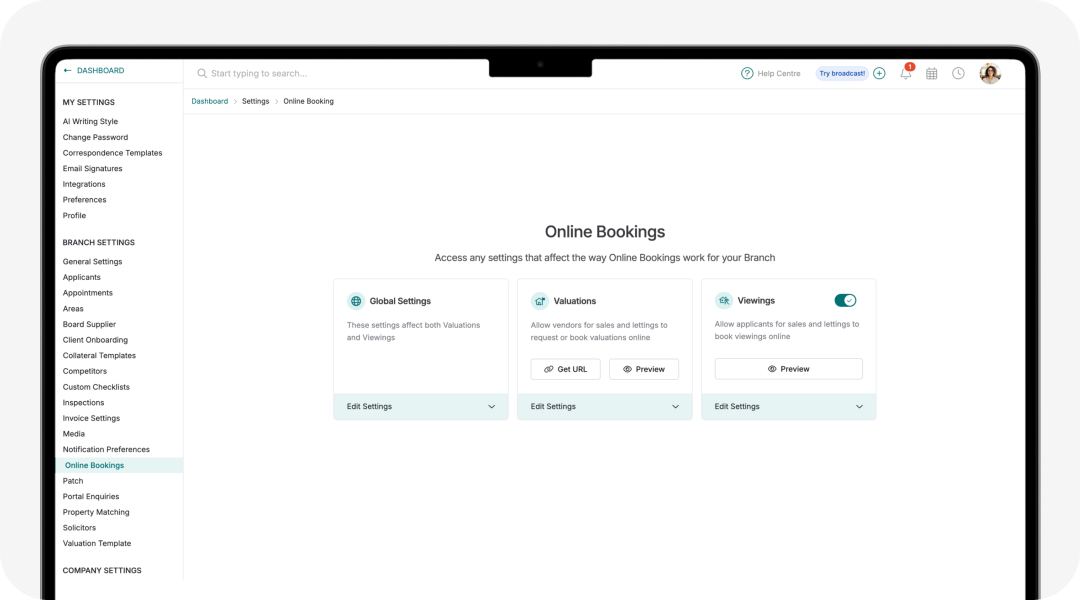
Set up online booking in a single, guided flow. Preview the applicant experience, from the booking interface to auto-responder emails. Flexible controls let you adjust settings anytime for a seamless setup and easy fine-tuning.
New look customer information page.
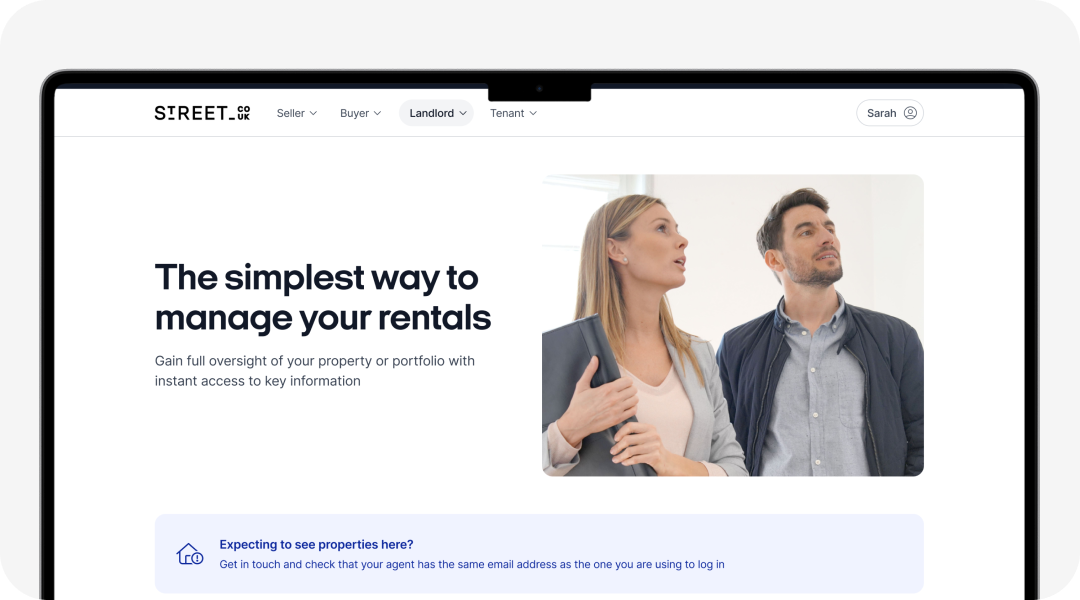
We've redesigned the customer web app for cases where users land on a page without a linked property - like a vendor accessing the landlord view. The updated page highlights key benefits and prompts users to contact their agent if they believe they should have access.
Toggle cancelled maintenance jobs on or off.
Toggle cancelled jobs on or off in the maintenance table, giving you a clear view of either in one action.
Refined online booking settings.
We've refined wording and design to align with recent online booking enhancements, ensuring a smoother experience for agents and their customers.
Smoother tenancy document cancellations.
Now, when you cancel a tenancy document, the page refreshes automatically, instantly showing the ‘Generate Document’ button - no need to refresh or navigate away.
Clearer prompts for closing maintenance jobs.
Trying to close a job with an attached invoice? You’ll now get a clear prompt to remove it first, preventing errors and keeping things seamless.
Want to know more?
Find out how Street.co.uk could transform your agency by booking a free, no-commitment demonstration with a member of our team.


